Available Actually Means Available
Available quantity is what is left after commitments and quarantined stock come out. Nobody has to keep a private spreadsheet of which pallets are already spoken for.
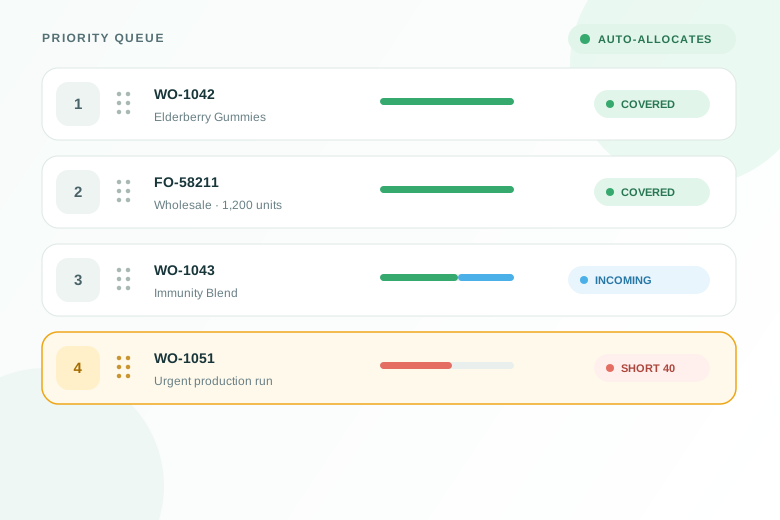
Fiddle sets real stock aside for real orders, in priority order — so every work order and every shipment tells you plainly whether it is covered or short.
Built into the work orders, purchasing and fulfillment you already run in Fiddle.
The gap between what is on the shelf and what is already spoken for is where most late orders come from.
Available quantity is what is left after commitments and quarantined stock come out. Nobody has to keep a private spreadsheet of which pallets are already spoken for.
A commitment shows which real units at a site currently cover demand. The calculation never counts the same kilogram toward two orders, but the commitment does not lock that kilogram in place.
Commitment is a consequence of rank. Drag the urgent order up and everything below it recalculates. There is no commitment screen to maintain and no line-by-line assignment to redo.
Every order carries a coverage status. Short quantities are visible on the list, not discovered by an operator standing at an empty rack with a pick list in hand.
An open purchase order can cover a shortage on paper, but it only becomes a commitment when the goods are received. Orders leaning on incoming supply are labeled as such.
Receipts, voids, adjustments, cancellations and new orders all trigger a recalculation for the affected item and site. Gains land at the top of the queue, losses land at the bottom.
From the moment demand is raised to the moment material is consumed.
Required quantities raised by work orders, fulfillment orders and demand plans
Current on-hand coverage, commitment preferences and recalculation history
Separate drag-to-reorder queues for work orders and for fulfillment orders
One status per work order, rolled up from every component on the bill of materials
Covered, covered by incoming, arriving late, or short — on every order
What is needed, what is covered, and what still has to be bought or made
Consumption draws down the commitment that authorized it, in order
Move an commitment between orders or hand it back, with a full audit trail
Orders already in production, picking or packing keep the stock they hold
Shared materials, tight supply and competing orders — the situations where a single availability number stops being enough.
A contract manufacturer runs six blends off the same bulk active. The queue decides which batches are covered from the current lot and which wait for the next receipt.
A D2C brand ships hundreds of orders a day. Instead of reviewing them one by one, the team sees the handful of products actually causing the hold-up.
A major retailer moves a delivery forward. The order is dragged to the top of the fulfillment queue and the stock re-commits from the orders that can wait.
A beverage producer commits specific lots to production runs, so short-dated stock is consumed in order and nothing is quietly claimed twice.
A component shipment slips past a build date. The affected work order flags that its coverage arrives after it is due, while everything else stays covered.
A co-manufacturer runs jobs for several brands from one warehouse. Each job holds its own commitments, so one brand’s materials are never absorbed by another’s run.
Many systems have one ambiguous stock figure that mixes demand with on-hand coverage. Fiddle separates demand, committed, uncommitted and incoming quantities so every downstream number has a clear meaning.
Demand. A work order, a fulfillment order or a demand plan has asked for a quantity by a date. Required tells you what the business has promised. It does not touch a single unit of stock.
Supply. Real units, at a real site, set aside for one specific order. A commitment can be transferred to another order or released back to the pool, and every move is recorded.
Which makes availability a definition, not an opinion
Available = In stock − Committed − Quarantined
One stock. One owner.
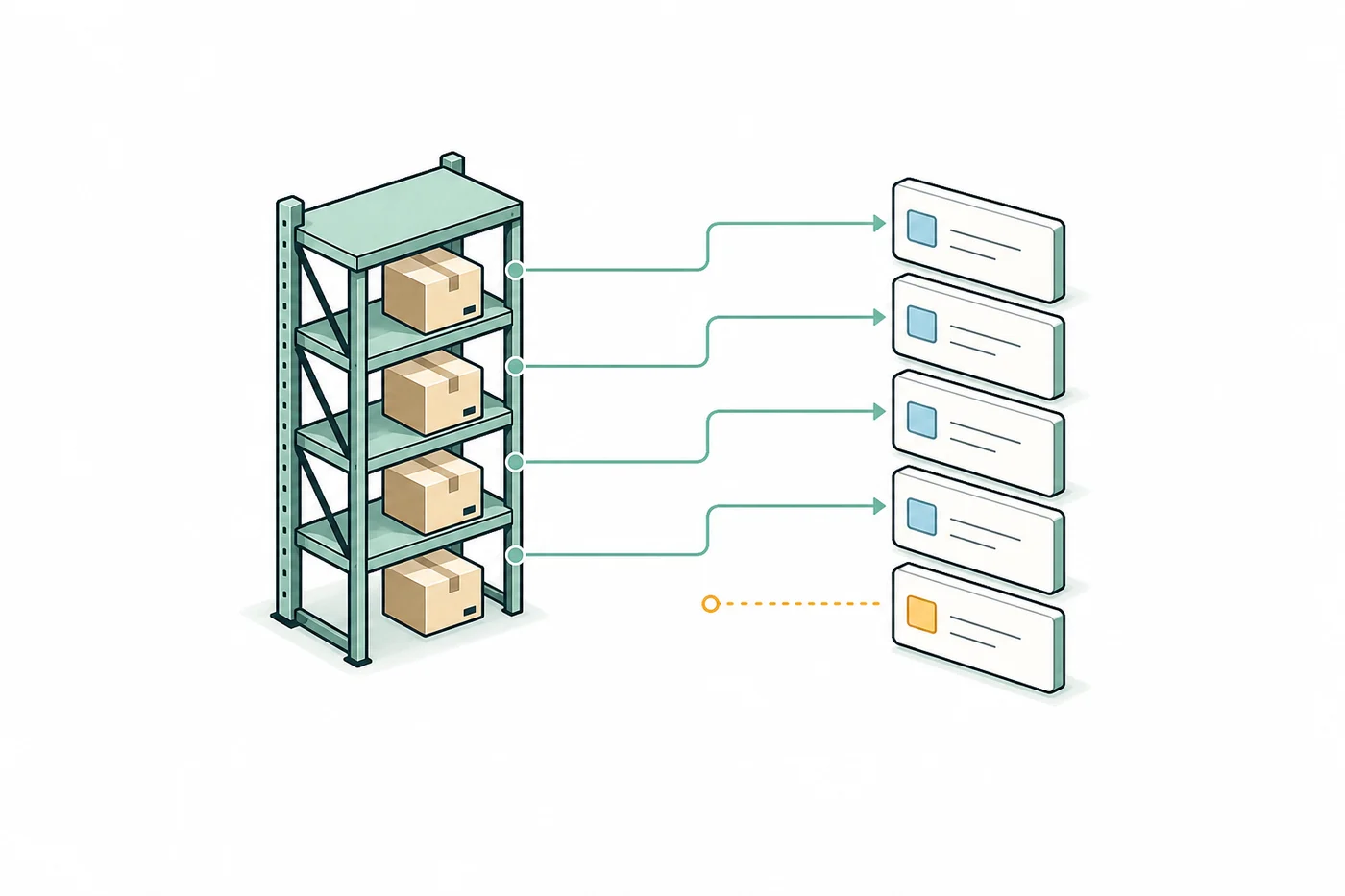
Four boxes can back four orders. The fifth stays visibly short until new supply arrives or a higher-priority order releases what it holds.
Every commitment keeps its order, item and site attached, so the answer is traceable instead of implied.
Production ranks its work orders, fulfillment ranks its shipments — each in its own drawer, both following the same rule. The order at the top takes what it needs, the next takes what is left, and it keeps going until the stock runs out.
Manage priority · Work orders
Headquarters · 42 work orders waiting on materials
Elderberry Gummies · 40,000 ct
Daily Greens · 18,000 ct
Immunity Blend · 25,000 ct
Sleep Support · 12,000 ct
Recovery Blend · 30,000 ct
Above is the work-order queue, opened from the work order list. Fulfillment gets the same drawer on the fulfillment order list, ranking shipments instead of builds. Two queues, one set of rules — and on the shipping side the rank doubles as the pick sequence.
No locks, no pins, no manual per-line assignment. If a job deserves the stock, drag it up. Everything below it re-solves against what is left.
The drawer is a sandbox. Drag to see who gains and who loses coverage, then save the whole arrangement at once — or discard it.
Receipts, voids, counts and new orders all trigger a re-solve for that item and site. Gains land top-down, losses are taken bottom-up.
A shipment needs the finished goods on its lines. A build needs every raw material, component and piece of packaging in its bill of materials — and Fiddle shows what is committed, incoming, and still short before work starts.
Recovery Blend · 30,000 ct · 5 materials
Elderberry extract
RM-2201
Pectin gelling agent
RM-1180
Zinc citrate
RM-3340
Stand-up pouch, 30 ct
PK-0090
Front label, 30 ct
LB-0042
Three of five materials are fully committed. The build still cannot run.
The bar on a work order is the average coverage across its whole bill of materials. It only reads fully covered when every component is covered — one missing ingredient makes the build short, however plentiful everything else is.
Needs attention lists just the short components, with the code, the name and the exact shortfall. Covered lines stay quiet. A build with sixty lines shows the first five and a “+N more” — you read the exceptions, not the recipe.
When a component is short across the whole queue, no amount of dragging helps — the stock does not exist. Naming the component points straight at the thing to buy or expedite.
A work order that cannot be built is a scheduling problem, not a shop-floor surprise. Commitments move that discovery to the planning stage.
Every component line shows what is committed to this build, what is still available to commit, and what is inbound. A work order is either materially ready or it is not, and it says so.
Coverage status appears on the work order list, so the planning conversation moves from “what is due” to “what can be built.” Sort the list by priority and the top of it is the run sequence.
Work already in production receives the strongest commitment priority. If inventory moves or becomes unavailable, Fiddle recalculates coverage and makes the resulting shortage visible instead of blocking the inventory action.
Issuing material to the floor reduces the commitment that authorized it, so the shop-floor picture and the inventory picture cannot drift apart.
WO-1043 · Materials
Immunity Blend · 25,000 ct · Priority 3
Elderberry extract
RM-2201
Pectin gelling agent
RM-1180
Zinc citrate
RM-3340
Stand-up pouch, 60 ct
PK-0090
One component short. The build is covered only if PO-4471 lands before Aug 7.
Nobody reviews a thousand orders one at a time. The point is to know which orders can go out now, which are waiting on a receipt, and exactly which products are the problem.
Ready to fulfill
784
Every required item committed
Waiting for inventory
173
Covered by incoming supply
Affected by short products
85
Traced to 6 products
An order is ready to fulfill only when every required item holds a commitment. Not “probably in stock” — held, for that order, at that site.
Building a batch pulls from ready orders. Waiting, short, on-hold and already-batched orders stay out, so a wave does not fall apart halfway through the pick.
The fulfillment queue is ranked per site, so the order you drag to the top is both first for stock and first to be picked.
A product-level view turns a day of e-commerce volume into the short list of SKUs actually holding things up — with the affected orders one click away.
Work already underway receives the strongest commitment priority. Authorized inventory moves still post, and Fiddle immediately shows any order that becomes short.
One coverage picture
Stock on hand flows first. Incoming supply can cover what remains. Anything still uncovered stays unmistakably short.
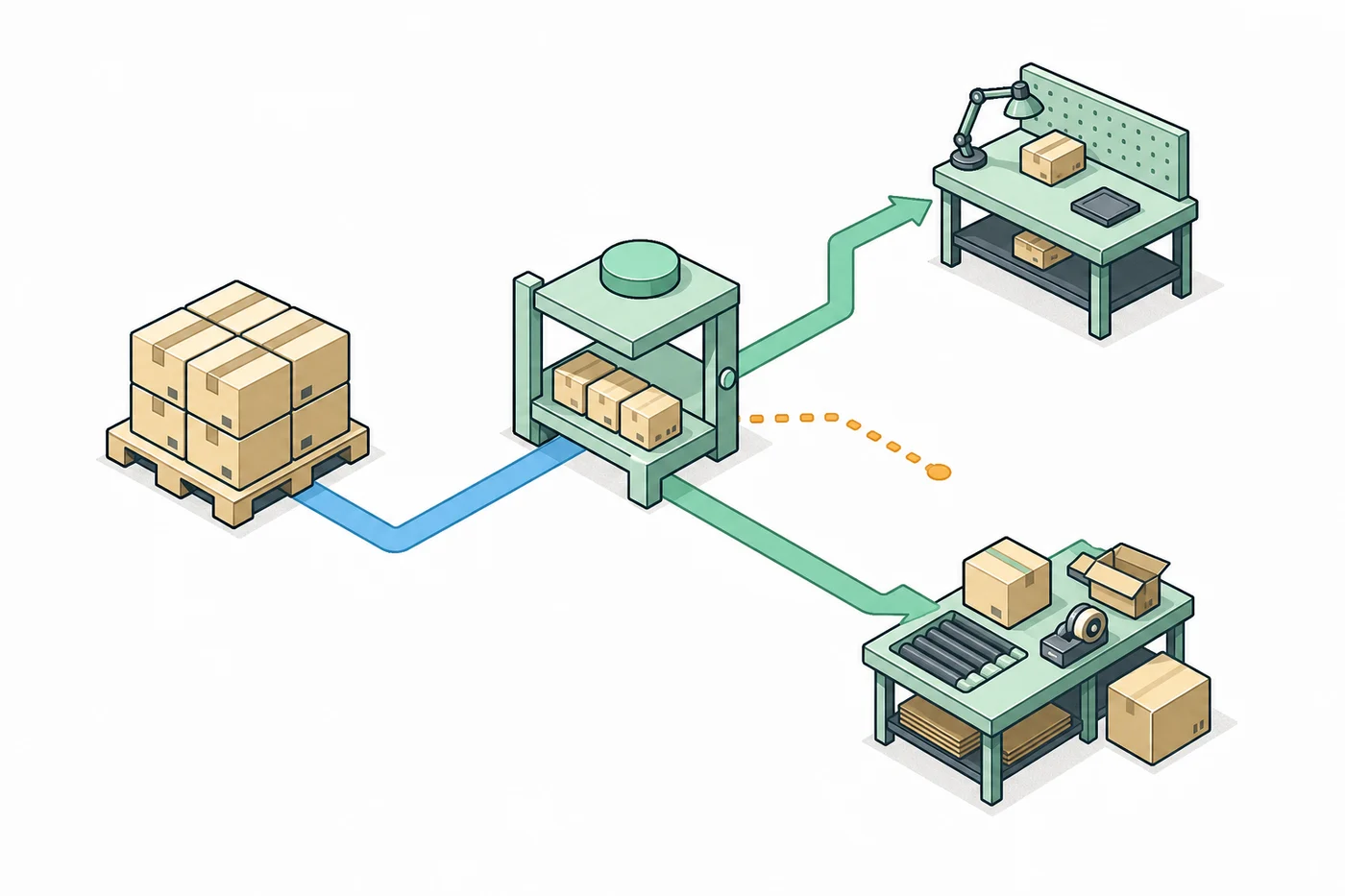
Every path that starts with a short product ends back in the flow your team already uses — search, select, batch, pick, pack, buy the label, ship. The inventory view is a way in, not a dashboard to get stuck in.
Find answers to common questions about this feature.
Request a demo and we will walk through the priority queue with your own products, work orders and shipping volume.